Showing posts with label NCE. Show all posts

Monday, March 11, 2024

MA5800 X7 can not synchronize with NCE through the VPN instance


This article shares with you a case about Huawei MA5800 X7 can not synchronize with NCE through the VPN instance. I hope you like it!


Issue description

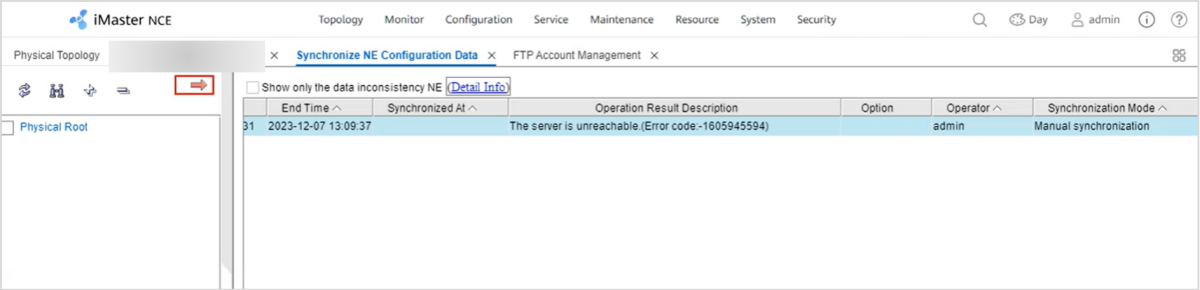
The NCE can not manage the MA5800 X7, the synchronization by ftp/sftp or tftp is not successful. The NE backup can not be done.
 

OLT


Handling Process

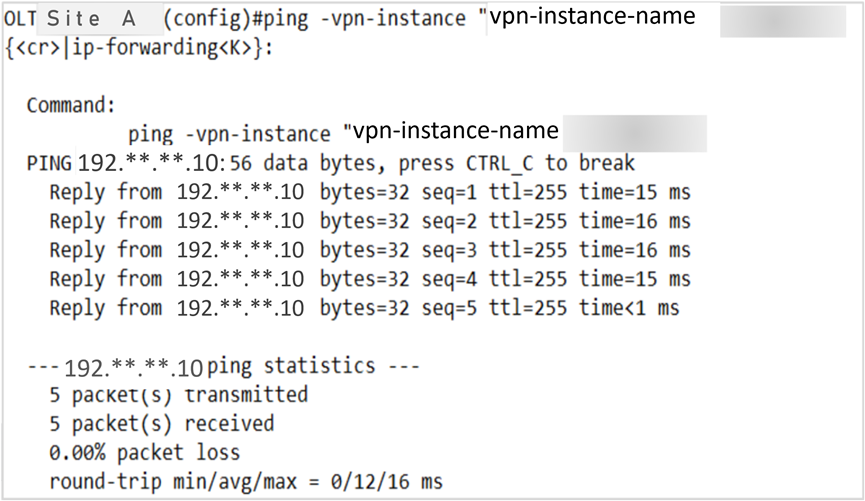
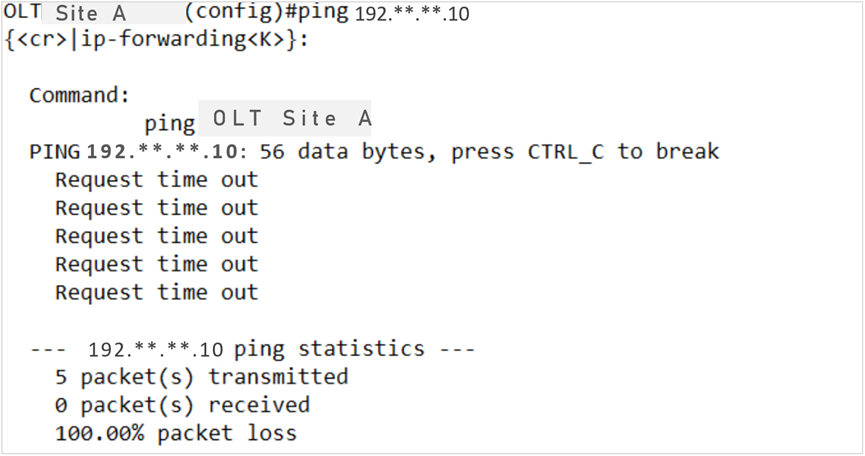
1. The NCE can ping OLT, but OLT can not ping NE directly.
 

1764308106423406592


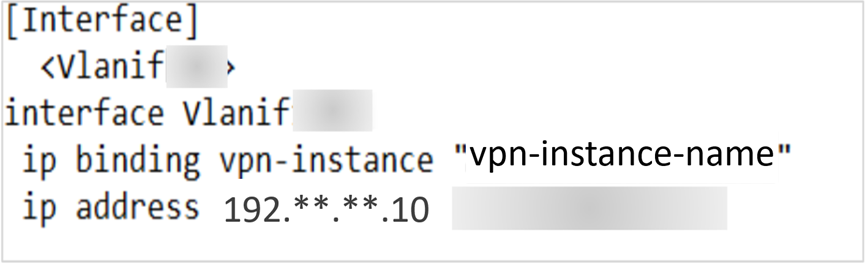
2. The OLT has inband management, VLAN interface uses a VPN Instance.
 

1764308169025101824


1764308227225636864


Root cause

The VPN instance corresponding to the xFTP server is not configured. The xFTP Server is the NCE. For this reason is not possible to synchronize the NE or backup the data configuration.


Solution

The VPN instance assigned to the xFTP Serverv(NCE) should be specified according to the following command:


sysman sftp vpn-instance 192.**.**.10 VPN_NAME


Summary

The sysman vpn-instance(xFTP) command is used to configure the VPN instance corresponding to an xFTP server. You can select a VPN instance as the one corresponding to the IP address of an xFTP server by running this command. After this command is executed successfully, when a device communicates with the user-specified xFTP server, it processes only requests on the corresponding VPN but not requests from other VPNs or public networks.

Monday, May 15, 2023

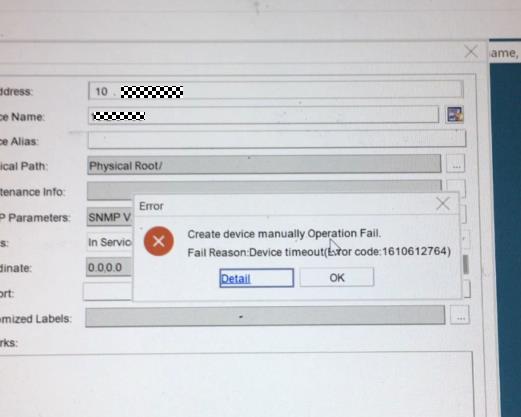
Why Huawei OLT Cannot Be Added to NCE?

ISSUE DESCRIPTION 


The new project deployed an Huawei OLT MA5800, but it cannot be added to NCE.


1


PROCESS


1. Ping test from the OLT to the NCE server and ping test from the NCE OS to the OLT to confirm that the network is reachable.


2. Check the SNMP configuration from the OLT and NCE, confirm whether the SNMP parameters configuration in the OLT and NCE are the same.


//check snmpv2c read and write community from OLT:


MA5800-X7#display snmp-agent community read
MA5800-X7#display snmp-agent community write


//check snmpv2c configuration of the NCE SNMP template:


Log in to the O&M plane, click Network Management Application, from the Main Menu > System > NE Communication Parameters > Default Access Protocol Parameters, find the template which adds the OLT to NCE and to use it click Modify SNMP Template to check the snmpv2c configuration, or to reconfigure the community parameters.


3. From the NCE OS, capture the packets when adding the OLT to NCE. Check to find out whether the OLT side does not reply to the SNMP packets. Suspect there is a firewall between the OLT and NCE.


4. Check the OLT firewall settings to confirm that the OLT does not enable the firewall. The customer confirmed that ther is no firewall between the OLT and NCE.


//OLT check firewall if enabled:


MA5800-X7(config)#display sysman firewall


5. Check the device product documentation. Find that the new version (R20 or later version) OLT increased more SNMP-related commands. Configure the system server source SNMP any-interface and from NCE add the OLT successfully.


ROOT CAUSE


The sysman server source configuration is missing.


SOLUTION


From the OLT configure the below command:


sysman server source snmp any-interface
sysman server source snmp ipv6


SUGGESTIONS


1. It is suggested to configure the SNMP source to any interface; configuring the SNMP source to the management vlanif can also work.


2. If using IPV6 to manage the OLT, please reference to the above command enable ipv6 source.


3. If SSH cannot log in to the OLT, enable the similar SSH source command as per below:


sysman server source ssh any-interface
sysman server source ssh ipv6