Showing posts with label Huawei OLT. Show all posts

Friday, June 16, 2023

How to configure the VOIP WAN of Huawei ONT on the OLT?

Huawei OLT supports the configuration of WAN ports for Huawei ONT through the CLI, including INTERNET WAN, VOIP WAN, IPTV WAN, and TR069 WAN.

Generally, one WAN port is configured with one type of service, and one WAN port may be configured with multiple types of services.

I would like to share with you how to configure the service type of Huawei ONT on the 

OLT as the WAN of the VOIP type.

The configuration procedure is as follows:
Note that only the process is demonstrated here. Related parameters need to be configured based on your network.

1. Turn on the OMCI configuration switch

MA5800-X17(config)#gpon ont home-gateway config-method omci

2. Configure the WAN

a. Creating an ONT SIP Profile

MA5800-X17(config)#ont-sipagent-profile modify profile-id 1 proxy-server 10.x.x.1 proxy-server-port 5060 outbound-server 20.x.x.1 outbound-server-port 5060 registration server-uri reg.test.com expiration 3600

b. Creating a WAN

Step 1, run the ont ipconfig command to determine the WAN port index and IP address obtaining mode. Here, the WAN port index is set to 2. (The default value is 0 if the WAN port index is not specified.)

MA5800-X17(config-if-gpon-0/4)#ont ipconfig 15 1 ip-index 2 dhcp vlan 4000

Step 2, create a SIP interface and bind it to the created SIP profile.

MA5800-X17(config-if-gpon-0/4)#if-sip add 15 1 1 ip-index 2 sipagent-profile profile-id 1

Step 3, add a voice user. After the three steps are complete, the ONT creates a WAN port and issues voice-related parameter settings.

MA5800-X17(config-if-gpon-0/4)#sippstnuser add 15 1 1 telno 88880001 username u88880001 password p88880001 mgid 1

After the two steps are complete, the ONT creates a WAN port.

3. Verify WAN Configuration

Log in to the ONT WebUI, you can view the created WAN configuration on the ONT WebUI, and check whether the configuration is consistent with that on the OLT.


4. Configuring Parameters of the Voice 

Create an ONT SIP Profile.


5. Query the ONT WAN port information on the OLT


Monday, May 15, 2023

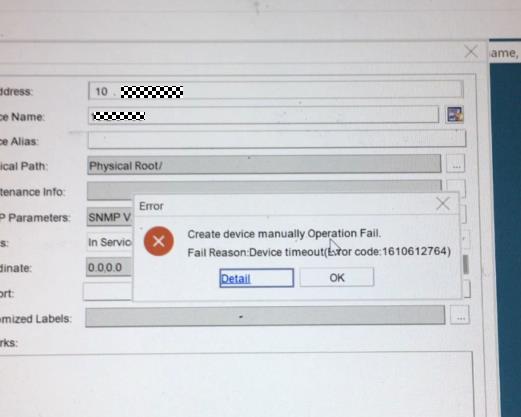
Why Huawei OLT Cannot Be Added to NCE?

ISSUE DESCRIPTION 


The new project deployed an Huawei OLT MA5800, but it cannot be added to NCE.


1


PROCESS


1. Ping test from the OLT to the NCE server and ping test from the NCE OS to the OLT to confirm that the network is reachable.


2. Check the SNMP configuration from the OLT and NCE, confirm whether the SNMP parameters configuration in the OLT and NCE are the same.


//check snmpv2c read and write community from OLT:


MA5800-X7#display snmp-agent community read
MA5800-X7#display snmp-agent community write


//check snmpv2c configuration of the NCE SNMP template:


Log in to the O&M plane, click Network Management Application, from the Main Menu > System > NE Communication Parameters > Default Access Protocol Parameters, find the template which adds the OLT to NCE and to use it click Modify SNMP Template to check the snmpv2c configuration, or to reconfigure the community parameters.


3. From the NCE OS, capture the packets when adding the OLT to NCE. Check to find out whether the OLT side does not reply to the SNMP packets. Suspect there is a firewall between the OLT and NCE.


4. Check the OLT firewall settings to confirm that the OLT does not enable the firewall. The customer confirmed that ther is no firewall between the OLT and NCE.


//OLT check firewall if enabled:


MA5800-X7(config)#display sysman firewall


5. Check the device product documentation. Find that the new version (R20 or later version) OLT increased more SNMP-related commands. Configure the system server source SNMP any-interface and from NCE add the OLT successfully.


ROOT CAUSE


The sysman server source configuration is missing.


SOLUTION


From the OLT configure the below command:


sysman server source snmp any-interface
sysman server source snmp ipv6


SUGGESTIONS


1. It is suggested to configure the SNMP source to any interface; configuring the SNMP source to the management vlanif can also work.


2. If using IPV6 to manage the OLT, please reference to the above command enable ipv6 source.


3. If SSH cannot log in to the OLT, enable the similar SSH source command as per below:


sysman server source ssh any-interface
sysman server source ssh ipv6

Tuesday, October 18, 2022

MA5800 - It is needed to understand whether the CCU will allow the door control to be remotely managed

Issue Description

Huawei MA5800 - We will need to understand whether the CCU will allow the door control to be remotely managed, meaning that we are able (from a remote location) release the door control of outdoor cabinets to provide access to on-site personnel, as opposed to only using electronic door cards.

We wish to understand if this is supported since we do not see this referenced in the documentation for the CCU.


Handling Process

A cabinet security system mainly includes an electronic door lock, a door status sensor, an infrared sensor, and an audio alarm device. Cabinet security includes electronic door lock management and audio alarm reporting. 

  •  Electronic door lock management 

− Access of at most three electronic compartment door locks 

− Remote unlocking on the NMS and near-end unlocking using a card. 

− Storage of at most 1000 permission records with two permission setting modes (by start/end time and by time period). 

− Support for a temporary access card. During deployment, if several locks to be managed are configured, a temporary access card using a fixed ID can be used to unlock a door. Once permissions are set, the temporary card becomes invalid. − Unlocking record retrieval. Unlocking records can be recorded at a basis of an engineer, site, compartment door, or time. A maximum of 50 unlocking records are supported. A complete unlocking record includes a door opening action and a corresponding door closing action. 

− Door unlocking event (using a card) reporting and lock status change event reporting. These events can be exported from the NMS.

  • Audio alarm reporting 

Audio alarm reporting associates with unlocking information, a door status alarm, or infrared detection of a moving object to deter thefts onsite. 

− Normal door unlocking using a card does not trigger an audio alarm. If a door stays in open state after a specified period, an alarm is reported. This period is configurable and defaults to 30 minutes.  

− There is an association among a door lock, its door status sensor, and its infrared sensor. This association does not take effect on a door lock whose communication is abnormal.  

− To trigger an infrared sensor alarm or door status alarm, enable the related door status sensor and infrared sensor alarms. If they are not enabled, the related sensors are not associated with a door lock. 

 − Multiple locks are associated with one audio alarming device. If any compartment door meets alarm conditions, an audio alarm is reported. If any compartment door is unlocked using a card, the reported audio alarm is immediately ended.  

− Associating an infrared alarm with an audio alarm aims at preventing a compartment door being forcibly damaged. For example, if an unauthorized person attempts to cut a hole on a compartment door for a theft, an infrared sensor detects a moving person and then produces an infrared alarm. At this time point, the door is locked, which meets audio alarm conditions. In this way, a three-dimension anti-theft scenario is constructed.  

− To prevent lasting alarm voice interference when audio alarm conditions are met, the audio alarm duration and muting during can be set so that an audio alarm is reported for a period and then muted for a period. 

Friday, June 4, 2021

ONT Fails to Be Added to the MA5608T Because the H808EPSD Version Is Low

 Contents

Issue Description

On Huawei MA5608T+H808EPSD, the system prompts that the board does not support this operation when confirming an automatically discovered ONT.

Alarm Information

0x023100ed Board Software Automatic Expansion Failure

Handling Process

1. Run the display board command to check whether the status of each board is normal.


2. Run the display alarm active all command to query the alarms. The command output shows the 0x023100ed Board Software Automatic Expansion Failure alarm on the H808EPSD board.


3. Run the display io-packetfile information command, output shows that there is no I/O package of H808EPSD.


4. Run the display version command, the output shows that the version of the MCUD control board is V800R017C00 and the software app version of the H808EPSD board is 2013. The version difference is large.


5. Load the combined package of the V800R017C00 version and add the I/O package of the H808EPSD board. The issue is solved.

Root Cause

The H808EPSD board software is not upgraded to the latest version. As a result, the board status is normal, but the board cannot carry services or the services are limited.

Solution

Upgrade the software of the H808EPSD board to the latest version.

Suggestions

When a user interface board is inserted, the version information about the board is reported to the system. If the version of the board software is inconsistent with that of the board software stored in the flash of the control board, the system automatically loads the software. If the automatic loading fails, the system generates the alarm 0x2420a003 Automatic Loading Failure. Impact of the alarm on the system: The board software of the interface board is not upgraded to the latest version. As a result, the board cannot carry services or the services are limited.

Wednesday, October 24, 2018

How to Configure Huawei MSTP in OLT?

Configure Huawei MSTP parameters as follows:
  • Enable the MSTP function.
  • Enable the MSTP function on port 0/19/0.
  • Set the MSTP running mode to MSTP compatible mode.
  • Configure MST region parameters:
    • Configure the MD5-Key for the MD5 encryption algorithm to 0x11ed224466.
    • Configure the MST region name to huawei-mstp-bridge.
    • Map VLAN2-VLAN10 and VLAN12-VLAN16 to MSTP instance 3.
    • Map all the VLANs to the specified MSTP instances.
    • Configure the MSTP revision level of the device to 100.
  • Configure the maximum hops for the MST region to 10.
  • Activate the configuration of the MST region manually.
  • Configure the priority of the device in spanning tree instance 2 to 4096.
  • Configure the current device as the root bridge of MSTP instance 2.
  • Configure the diameter of the switching network to 6.
  • Configure the calculation standard for the path cost to IEEE 802.1t.
  • Configure the time parameters of a specified bridge:
    • Configure the forward delay to 2000 centiseconds.
    • Configure the hello time to 1000 centiseconds.
    • Configure the max age to 3000 centiseconds.
    • Configure the timeout time factor to 6.
  • Configure the parameters of a specified port:
    • Configure the maximum number of packets transmitted in a hello time period to 16.
    • Configure port 0/19/0 to be an edge port.
    • Configure the path cost of the port in a specified spanning tree instance to 1024.
    • Configure the priority of the port to 64.
    • The link connected to port 0/19/0 is a point-to-point link.
  • Enable the BPDU protection function on the device.
huawei(config)#stp enable
  Change global stp state may active region configuration,it may take several
minutes,are you sure to change global stp state? [Y/N][N]y
huawei(config)#stp port 0/19/0 enable
huawei(config)#stp mode mstp
huawei(config)#stp md5-key 11ed224466
huawei(config)#stp region-configuration
huawei(stp-region-configuration)#region-name huawei-mstp-bridge
huawei(stp-region-configuration)#instance 3 vlan 2 to 10 12 to 16
huawei(stp-region-configuration)#vlan-mapping module 16
huawei(stp-region-configuration)#revision-level 100
huawei(stp-region-configuration)#active region-configuration
huawei(stp-region-configuration)#quit
huawei(config)#stp instance 2 priority 4096
huawei(config)#stp instance 2 root primary
huawei(config)#stp max-hops 10
huawei(config)#stp bridge-diameter 6
huawei(config)#stp pathcost-standard dot1t
huawei(config)#stp timer forward-delay 2000
huawei(config)#stp timer hello 1000
huawei(config)#stp timer max-age 3000
huawei(config)#stp time-factor 6
huawei(config)#stp port 0/19/0 transmit-limit 16
huawei(config)#stp port 0/19/0 edged-port enable
huawei(config)#stp port 0/19/0 instance 0 cost 1024
huawei(config)#stp port 0/19/0 instance 0 port-priority 64
huawei(config)#stp port 0/19/0 point-to-point force-true
huawei(config)#stp bpdu-protection enable

Friday, September 28, 2018

How to Do If the Root Password of a Device Is Lost?

After using the device, the user may change the default user name and password. If you forget the password of user root, perform the following methods. Method 2 is recommended.
  • Method 1: Load the empty database matched the device again through DoS. After restarting the device, log in to the system by using the default root password admin (Huawei OLT) or mduadmin (MDU). This method will lead to loss of data configurations and the user needs to configure the data again.
  • Method 2: Modify the configuration file using the U2000.
    1. On the U2000, choose Administration > NE Security Management > LCT User Management from the main menu.
    2. On the LCT User Management tab page, select NE User and then Device Type. Select the desired device name from the Device Name column and user name from the Name column. In the displayed dialog box, choose Set Password to set the new password.
    This method does not require a device restart or services are not interrupted.
  • Method 3: If the device is managed by the NMS, modify the configuration file on the NMS as follows:
    1. Back up the configuration file of the device on the NMS.
    2. Open the configuration file and find out the record of changing the root password, as shown in boldface in the following display.
      [MA5600V800R005: 6833]                                                          
      #                                                                               
      [global-config]                                                                 
      
        <global-config>                                                               
      
       terminal user name buildrun_new lww231 *[)!AAYS*Y&aU86K;V-a@AUA!!* 1 2009:06:04
      
      :17:07:25 2009:06:04:17:07:25 root 2 6 -----                                    
      
       terminal user name buildrun_new bmsmpls *[4P]`OUIa%=[G]0U3=OWJY1!!* 0 2009:06: 
      
      08:15:01:02 2009:06:08:15:01:02 root 3 65535 -----                              
      
      adsl mode switch-to ADSL                                                       
      
      vdsl mode switch-to normal       
      
    3. Delete the boldface part and then save the configuration file.
    4. Load the modified configuration file to the system through the NMS and activate the configuration file.
    5. Log in to the device by using the default root password admin (OLT like Huawei MA5608T) or mduadmin (MDU).

Wednesday, September 19, 2018

Huawei AC/DC converter ETP4830-A1 Introduction


Huawei ETP4830-A1 is a box-type power system that supplies power for -48 V DC
communications equipment. It uses 15 A rectifiers and provides a maximum output current of 30 A; Apply for Huawei OLT, Huawei OSN 3500 OSN 6800&8800, Huawei Router and Huawei Switch and can be can be embedded in 19-inch rack or cabinet or other scenarios.

Model Number Description
  • Supports a wide voltage range of 85 V AC to 300 V AC.
  • Provides comprehensive battery management.
  • The SMU01A communicates with Huawei Network Ecosystem (NetEco) and third-party
  • element management systems (EMSs) over various security protocols, such as the
  • Simple Network Management Protocol (SNMP) and Hypertext Transfer Protocol Secure
  • (HTTPS), featuring flexible networking. It provides WebUI and implements remote
  • unattended management.
  • The SMU01B connects to the U2000 over Huawei master/slave protocols.
  • Displays information on a liquid crystal display (LCD) and provides buttons for
  • operations.
  • Supports electronic labels.
  • Rectifiers and the site monitoring unit (SMU) are hot-swappable.
  • Allows high-efficiency and standard-efficiency rectifiers with the same capacity to
  • coexist.
  • The rectifier power factor is 0.99.


Tuesday, August 7, 2018

How to solve DHCP issue on GPON side?

Analysis:
We found Huawei OLT has enable arp unicast function which only allowed 8 dhcp user dial up in one service port. OLT will discard dhcp packets whose amount is more than 8 dhcp users.

ARP unicast function description:

The function of ARP unicast is shown below and it is not needed to enable normally unless there are lots of ARP packets in the network.

If the ARP broadcast converted to unicast function is enabled on the network side, MA5680T/MA5683T/MA5608T queries user's going online information based on destination IP address and VLAN after receiving an
ARP request.
·         After detecting that a user goes online, MA5680T/MA5683T/MA5608T sends the ARP request to this user.
·         If no online users are detected, when security arp-unicast unknown-policy is set to discard, the ARP request is broadcast cascading-side and network-side ports excluding the source port in the VLAN.
However, the user side cannot receive ARP requests sent by the network side; when security arp-unicast unknown-policy is set to forward, the ARP request is broadcast to the user-side, cascading-side, and network-side ports excluding the source port in the VLAN.
Solution:
Disable ARP unicast function.

Thursday, August 2, 2018

How to collect dump on PON port of MA5600T by tftp?

Please follow belowsteps:
MA5680T(config)#acl 4000
// create the ACL
MA5680T(config-acl-link-4000)#rule 1 permit
MA5680T(config)#diag
MA5680T(diagnose)#su
// enter su mode
MA5680T(su)%ckup-server debug primary 80.73.64.23 tftp
// tftp server ip , for example: 80.73.64.23
MA5680T(su)%ture item 1 inbound link-group 4000 rule 1 port 0/1/3
// direction can be: inbound / outboun / bidirection
// PON port, for example: 0/0/0
MA5680T(su)%ture start -c 1000
// count of collected packets, for example: 1000, in attach such case
// If set count of packets more then need, capturing can be stop by command:
MA5680T(su)%ture stop
If you have any other questions about Huawei OLT/ONT, you can contact supports@thunder-link.com.

Wednesday, March 22, 2017

How to Search Out the Resource License Fast in a PO?

Q:
Both the resource license for the U2000 software and the NE licenses for hardware devices are contained in a purchase order (PO). The numerous NE licenses in the PO make it difficult to search out the resource license fast.
Alarm Information
None
Handling Process
    A:
In the advanced search window of the FNO system, you can enter multiple search criteria, such as the PO, product name, product version and site information. In this manner, the required license can be located accurately.
Note:
NE licenses are licenses for network hardware devices. Currently, hardware devices can control functions by using NE licenses without executing license policies. Therefore, hardware devices need not use 
license files. The resource license is a license for the U2000 software used to manage specific NE or port resources on the U2000. Usually, the devices at a site share a PO. If capacity expansion is performed at the site, the NE licenses and the resource license that is used to manage those devices will be combined in one PO. As a result, a PO in the FNO system contains numerous NE licenses and one resource license for managing those devices.
Step 1  At the FNO website, click the button highlighted by the red oval as shown in Figure 1-1(check the attachment Figure 1-1 Manage entitlements).
Step 2  In the dialog box that is displayed, enter multiple search criteria as shown in Figure 1-2(check the attachment Figure 1-2 advanced search).
Root Cause
None
Suggestions
None 

More related:

Huawei MA5683T

Huawei MA5680T


Monday, March 20, 2017

Ethernet configuration missing in NMS but normal when testing

Issue Description
Ethernet configuration missing in NMS, already configured at both site. However, when do testing end to end, no faulty alarm at test gear. The services still exist, if not, test gear will show faulty alarm. 
Alarm Information
No Alarm.
Handling Process
1, Current version U2000 V1R3C00SPC100 is upgrading to V1R5C00SPC600 as recommended by R&D.
2, After NMS restart, all Ethernet configurations appear normally.
Root Cause
1, Configuration not seen at NMS, but when test it normal, mean at NE side services were normal.
2, Services only cannot see at NMS side, mean problem probably related to NMS.
3, NE can login and communicate normally, means NMS and NE can communicate normally.

4, Collect data and send to R&D.
5, Feedback from R&D, probably the current NMS version have some bug which cannot support some features of NE or the version of NE and NMS may not compatible. R&D recommended version V1R5C00SPC600 to upgrade.

Suggestions
1, for new version of NE, always uses the latest NMS version to avoid some operations and monitoring failure.
2, V1R5C00SPC600 version is the latest recommended by R&D to use.

More related articles:

MA5600T Series LACP Configuration

MA5600T Series Equipment Downgrade Guidebook

How to configure DHCP on OLT


Wednesday, March 15, 2017

Do you know Huawei GPON Board H805GPFD03?

H805GPFD is a 16 port GPON interface card of Huawei OLT, provide GPON service access from ONT. GPFD can maximum access 16*128 GPON subscribers. GPFD has different part number like H80D00GPFD01, H80D00GPFD02 etc, but basically you only need to identity H802GPFD, H803GPFD, H805GPFD version, and with C+ SFP module. 


  • Huawei 16-GPON Port Interface Card with C+ SFP module
  • Apply to Huawei MA5683T, MA5680T, MA5608T OLT system
  • Available at 3 versions: H802GPFD, H803GPFD, H805GPFD
  • Support split ration 1:128
  • Transmit Speed: 2.488Gbit/s, Receive Speed: 1.244Gbit/s
  • Interface Type: SC/PC, SC/UPC
  • Max Transmit Distance: 20KM
  • Transmit Wavelength: 1490nm, Receive Wavelength: 1310nm
  • Standards Compliance: ITU-T G.984.1, ITU-T G.984.2, ITU-T G.984.3, ITU-T G.984.4
  • C++ SFP Module Optical Power: 6 dBm~10dBm, Receiver sensitivity: -35 dBm
  • C+ SFP Module Optical Power: 3 dBm~7 dBm, Receiver Sensitivity: -32 dBm
  • B+ SFP Module Optical Power: 1.5 dBm~5 dBm, Receiver Sensitivity: -28 dBm
Q:What is the difference between different Huawei H80D00GPFD01, H80D00GPFD02?
A: We don’t suggest you order according to this BOM, this BOM is mostly used for manufacturer producing purpose, Basically choosing GPFD card, we just need to know: 1, H802GPFD, H803GPFD or H805GPFD? 2, with B+ SFP Module or C+ SFP Module?

Q: Does GPFD has any version requirement of OLT software?
A: Yes, most of common version like V8R11, V8R13 and V8R15 support GPFD, but please make sure your OLT software included the packet of your GPFD board version, for example, H803GPFD and H805GPFD IO-packet is different.

Q: Can I get technical support from thunder-link.com if we purchase GPFD from you?
A: We will able to provide technical support service for customers whose OLT and GPON card are both from us, kindly note we will charge for the technical support service. We suggests customers purchase the OLT and GPFD card from the same professional supplier so as to avoid compatible and technical issues.

Q: Does the GPON SFP Module included in GPFD?
A: Yes, with GPFD board, 16 C+ SFP Module are included for free.

Q: Can I do twice splitting with GPFD?
A: Yes, you can, just make sure the optical power is within the receive side range.

Q: Can I use a 3rd party ONT with GPFD?
A: We don’t suggest so, as the understanding of TR069/OMCI protocol may different between different vendors.

Q: What is the power consumption of GPFD board?
A: Between 45~73W.

Q: How can I check my H805GPFD status by command on MA5683T?
A: The most common status checking command is "display board 0", for details you can refer to GPON board common command guide.